
Setup Sequence From Sign-Up to Clip
Eight actions, done in this order, take you from no account to a moving AI girlfriend clip without a dead end:
- Go to luckylove.ai on a phone or desktop browser. Nothing needs downloading.
- Create a free account if you are 18 or older, with Continue with Google as the shortcut.
- Open the chats page and claim the daily bonus on top of the 15 coins already credited.
- Choose a ready-made character or open the builder.
- Send a few messages at 1 coin each.
- Buy a Premium term of 1, 3 or 6 months.
- Ask her for a photo, then animate it into a short clip.
- Add the site to your home screen.
Steps five and six are the likely snags. The first eats coins faster than expected, and the second needs real money, so read the coin ledger section before you start typing.
Account Creation and Age Requirement
Eighteen is the minimum age, or higher where local law sets a higher bar, and section 3.1 of the Terms of Service adds the words no exceptions. Beyond that rule, sign-up is free and short. The homepage claims a conversation can start in under a minute.
No real name is required for the profile. LuckyLove AI's AI girlfriend page also states that chats are one-on-one, with no public feed and no routine human reading of conversations.
Ready-Made Character or Builder
Pick a ready-made AI girlfriend tonight unless you already know exactly what you want. The catalog lists 100+ characters across a Girls section and an Anime section, and starting with one of them costs nothing. Building your own in the character builder costs 25 coins and asks for appearance, personality, voice and hobbies, which is a lot of decisions for a first evening.
A preset also protects the budget. With only 15 starter coins, a custom build cannot happen without topping up first, while a preset lets every starter coin go into conversation.
Coins Needed to Finish Tonight
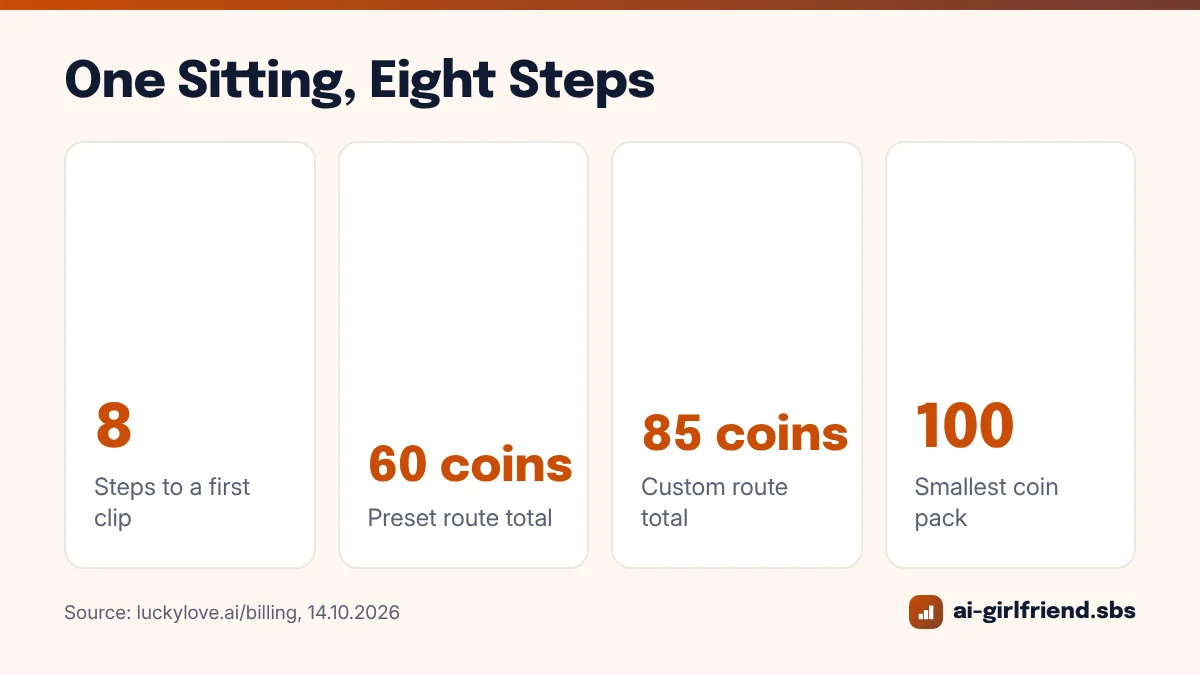
Sixty coins is the realistic floor for the preset route, and 85 for the custom route. The ledger below uses prices from LuckyLove AI's billing page and assumes fifteen opening messages.
| Action | Preset route | Custom route |
|---|---|---|
| Starting balance | +15 | +15 |
| Character | 0 | 25 |
| 15 messages | 15 | 15 |
| One photo | 15 | 15 |
| Photo-to-clip animation | 30 | 30 |
| Coins spent | 60 | 85 |
Both totals exceed the free balance, so finishing in one sitting means buying the 100-coin pack, the smallest of the three sizes (100, 200 and 500). Its USD price, like the price of Premium, appears only at checkout and can vary by region. That opacity is the one real annoyance of the whole setup. Unused coins never expire, though, so the remainder of the pack keeps for later.
Card Versus Crypto for Tonight's Purchase
Card payments suit a same-evening setup, confirming within moments according to the billing page, and purchases are credited automatically once the provider confirms.
Crypto works too, but it waits for network confirmation, which can stall a one-sitting plan. The homepage FAQ lists Visa and MasterCard alongside BTC, ETH, USDC and Litecoin, and the billing page adds regional options such as BLIK in Poland and Cash App in the US.
Billing privacy is the other consideration for many people. The homepage FAQ says payments go through under a neutral merchant descriptor and nothing on the bank statement references LuckyLove AI. Premium itself is a fixed term that never renews automatically, so this evening's purchases are the only charges unless you choose to buy again.
Photo Request and Clip Animation
Ask for the photo inside the chat once Premium is active, the same way you would ask a virtual girlfriend for a selfie in conversation. A delivered photo costs 15 coins, and turning it into a short animated clip costs 30 more. Should either fail to generate or arrive, the coins return automatically, and a failed text reply can be retried for free.
Do not hunt for a separate video tool. The menu entries Generate Video and Generate Image were still tagged Soon on 14.10.2026, which leaves the photo-then-animate path inside a conversation as the only media route. Compared with apps that promise standalone generators, that is a narrower feature set, and it is better to know before paying.
Home Screen Shortcut Without an App Store
Add the site to your phone's home screen from the browser menu instead of downloading an app. LuckyLove AI's install page describes the result as no browser tab and no app store, so the AI companion opens like any other icon. Desktop users can simply bookmark the chats page.
More Questions, Answered
How long does it take to set up an AI girlfriend on LuckyLove AI?
Under a minute gets you chatting, per the homepage claim. Reaching a photo and clip takes longer because Premium and a coin pack have to be bought and credited first, which is quick with a card.
Can I skip Premium and still get photos?
No. Premium is required for photos and clip animation, and each one still costs coins. Text chat, gifts and building a character all work without it.
Does the daily bonus reset if I miss a day?
Yes. The bonus grows with consecutive daily claims up to 30 coins, and a missed UTC day drops it back to the smallest amount.
Is LuckyLove AI available in Spanish?
No. The interface offers 10 languages, including English, German, French, Polish and Hindi, but Spanish is not among them as of October 2026.
What if a purchase does not show up?
Wait a few minutes first, since credits usually arrive within that window. After that, email support, the same channel LuckyLove AI uses for refund requests, where a person handles each case. The homepage advertises 24/7 support.
Published · Updated